Calibration and measurement
A2L-driven, over XCP on CAN, CAN FD or Ethernet. Tables, curves and maps edited live, with the working point on them.
Calibration, measurement, bus analysis and diagnostics in one tool
CalTool connects to several ECUs over XCP on CAN, CAN FD or Ethernet, or over CCP, and to CAN buses through their DBC files, in one workspace. Calibrate while the ECU runs, log into MDF4, analyse the recording in place, and flash and diagnose the same units — all in one window. An AI assistant such as Claude or ChatGPT can join the same session to analyse logs and help calibrate, with you in control of every change.
What it is
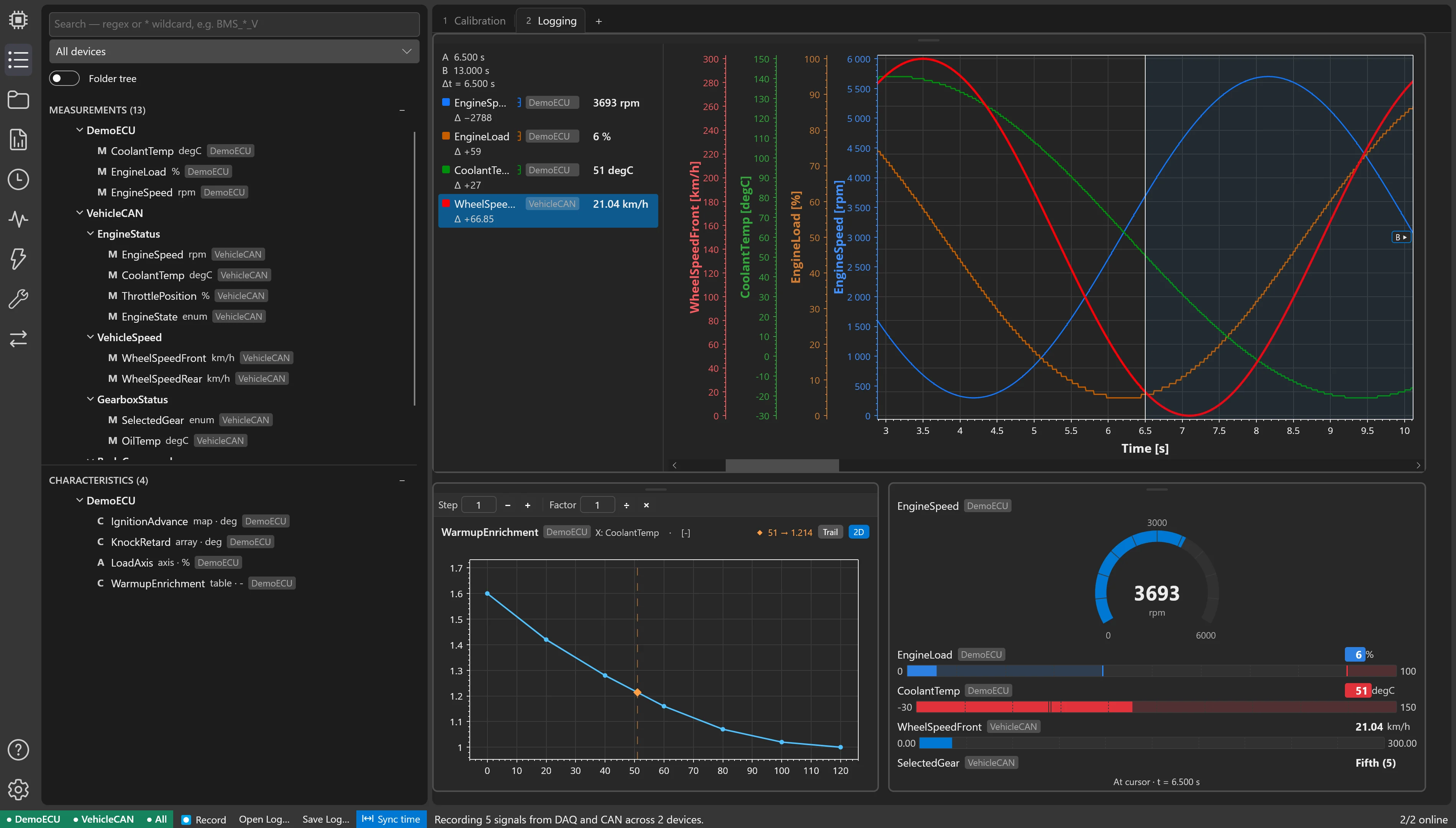
Pages of cards — tables, charts, readouts, plots — laid out for the job: a calibration page for the dyno, a logging page for the road. A workspace saves as one file with the A2L, DBC and image files it uses, so a setup moves between computers intact.
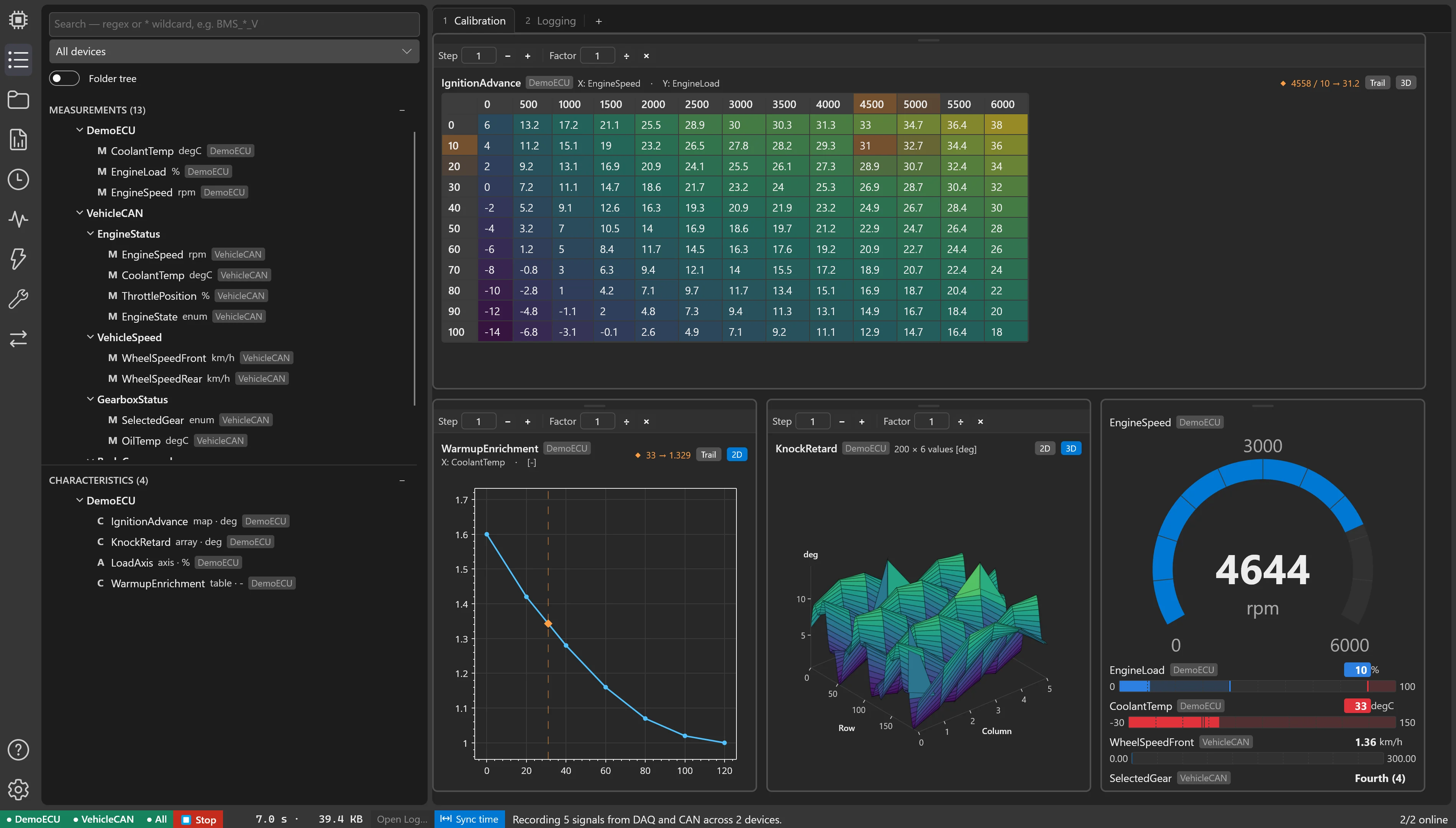
Every measurement and characteristic of every device, searched and dragged onto a page.
Readout lists, calibration tables and plots that snap together, resize and maximise.
Several ECUs and CAN buses at once, each with its own connection.
All in one
A calibration bench usually runs a calibration tool, a bus analyser, a diagnostic tester, a flash tool, a data-analysis package and something to compare calibration files — each with its own licence, its own interface driver and its own file formats. CalTool is all of them, sharing one workspace, one timeline and the same CAN interfaces.
A2L-driven, over XCP on CAN, CAN FD or Ethernet. Tables, curves and maps edited live, with the working point on them.
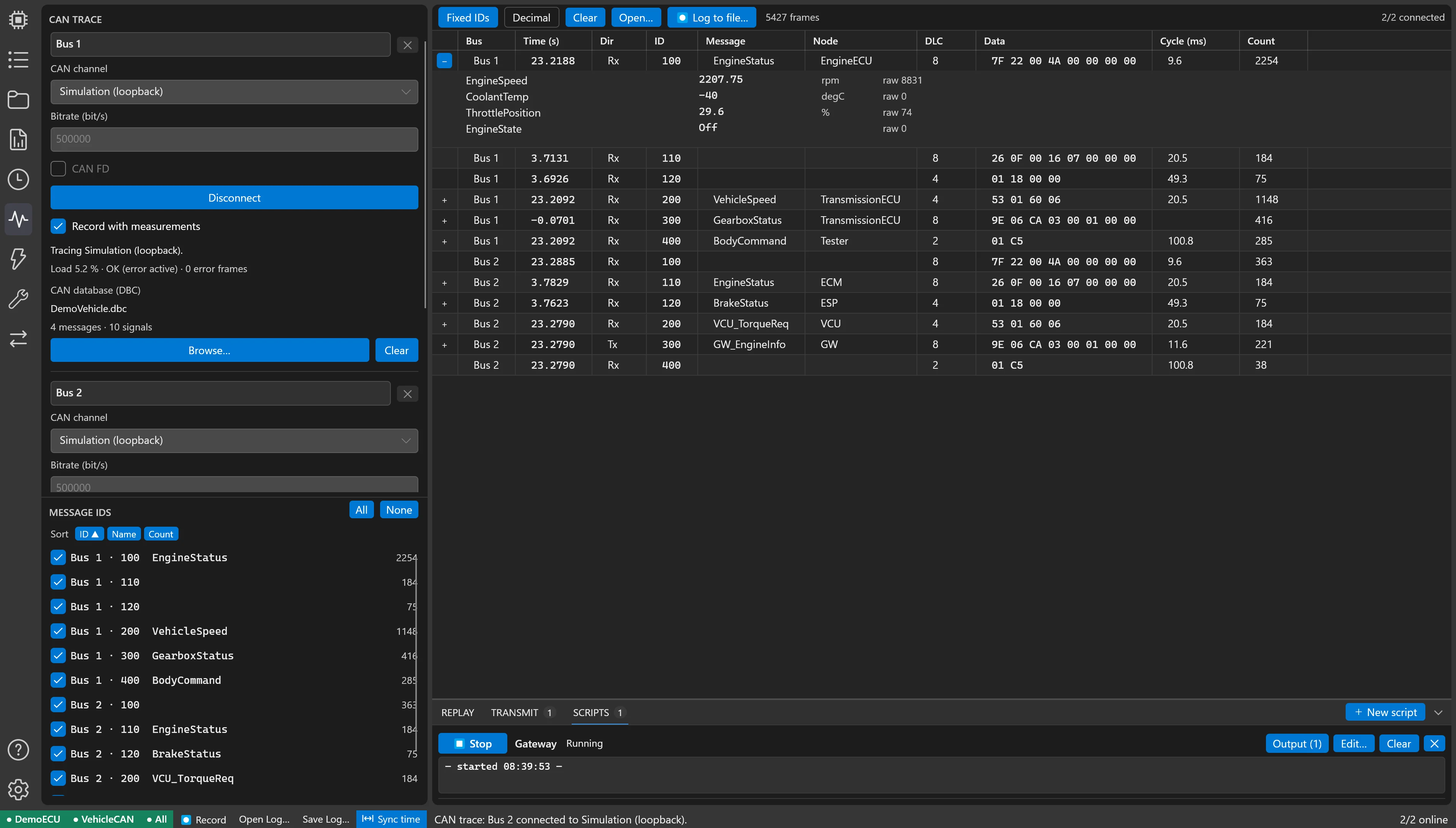
Trace, decode, filter and log several CAN and CAN FD buses. Transmit, replay logs and script a rest-bus simulation with counters and E2E checksums.
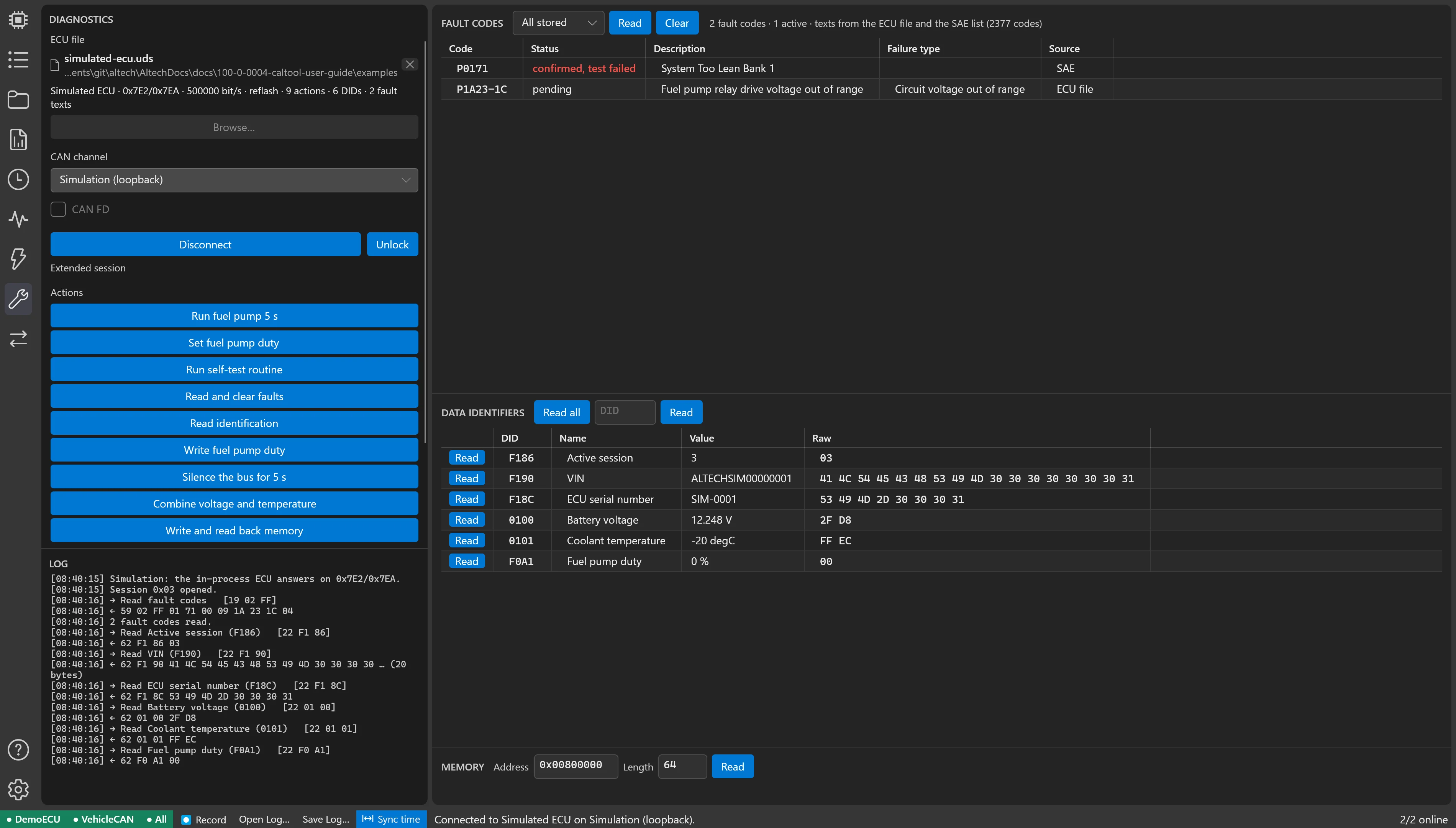
UDS and KWP2000: fault codes with their texts, data identifiers, routines and actuator tests, security access, memory reads, all described in one readable file per ECU.
Reprogram over XCP or a UDS bootloader, every segment verified before the reset, or hand over to a Vector VX tool.
Plots with cursors and statistics, scripted computed channels, markers, comparison runs, video and GPS on the same timeline. Export to MATLAB or CSV.
CDFX, DCM and memory images compared side by side, values copied across and patched into the image that gets flashed.
No separate seats to buy, renew and keep compatible.
The trace, the tester and the calibration session use the same CAN interface at the same time.
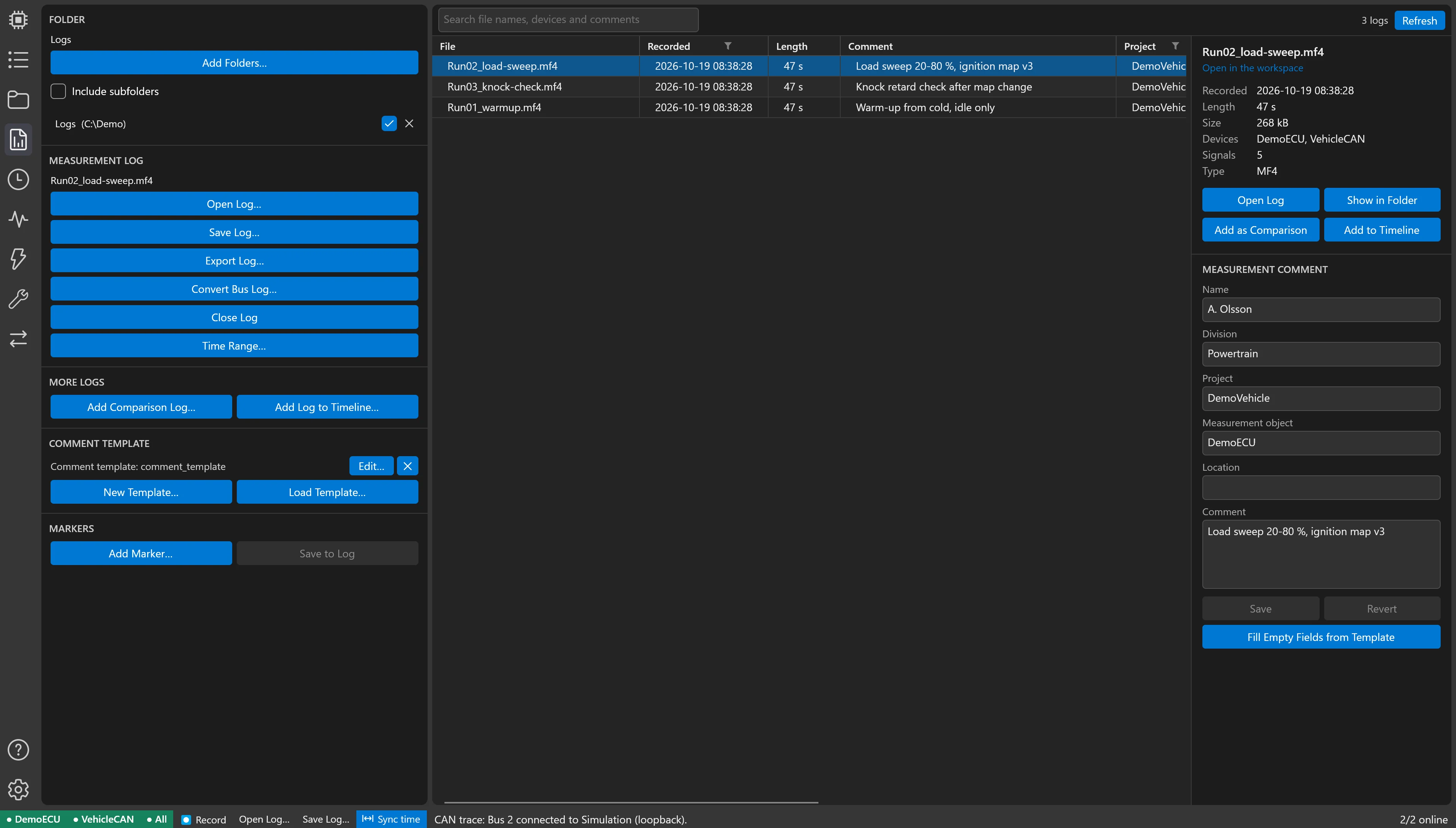
ECU measurements, bus traffic, video and markers land in the same MDF4 file, already in sync.
What one part produces, the next part reads: a log straight into analysis, an edited calibration straight into the flash.
AI integration
An AI assistant connects to the CalTool session you have open and works in it with you: it reads the devices, signals, logs and calibration you have loaded, finds events in a recording, writes and tests computed channels, marks its findings on the timeline and opens the plots that show them. With your permission it also proposes calibration changes — and nothing reaches a running ECU until you have confirmed it, old value against new.
Supported assistants
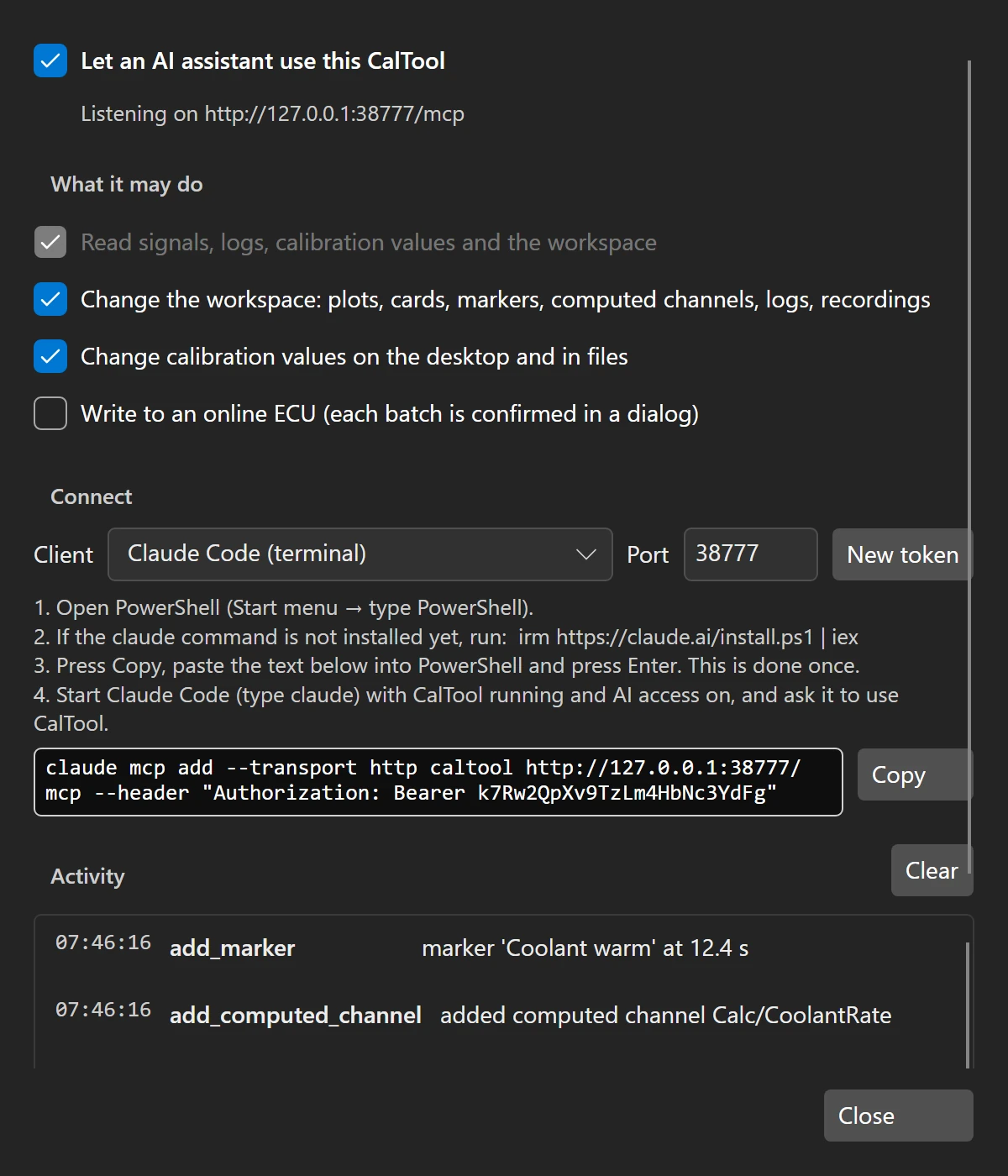
Reading is all an assistant may do until you allow more: workspace changes, calibration on the desktop and writes to an online ECU are three separate switches.
Changes for a running ECU are shown in a dialog with old and new values and the assistant’s reason. Values outside the A2L limits are refused before you see them.
The assistant works in your window, a status-bar chip lights on every request, and every call is listed with what it did or why it was refused.
CalTool speaks the Model Context Protocol (MCP), the open standard AI tools use to connect to applications, so any MCP-capable assistant works. The connection stays on your computer and is protected by a token. Using another AI platform, or your company’s own model? We integrate it on request. Contact us.
What it does
Every screen is CalTool on its built-in simulated ECU, the channel a new user starts on.
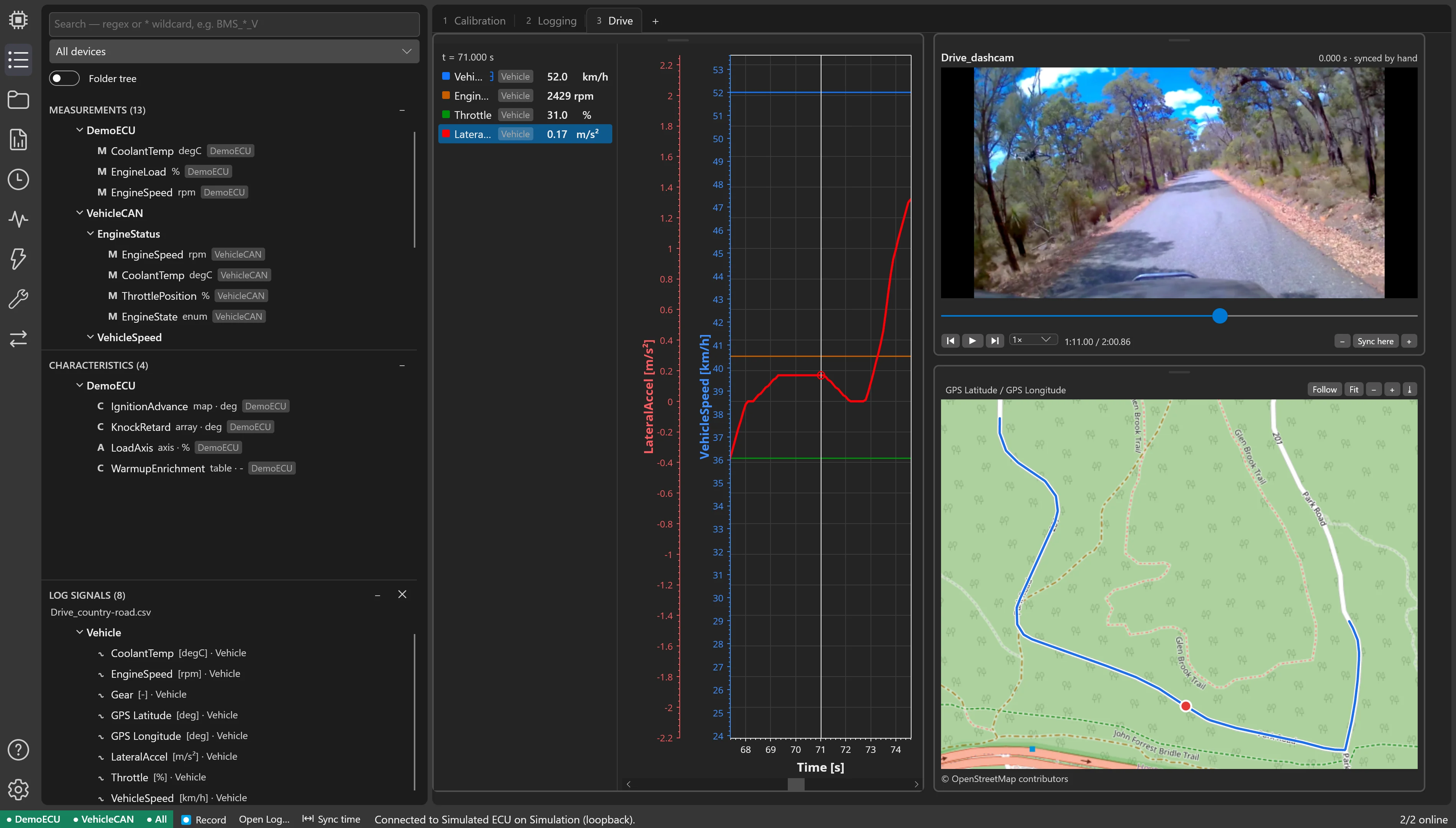
Values, curves, maps and arrays as tables, 2D charts or 3D surfaces. Every edit goes straight to the ECU, and its live working point is marked on the table.
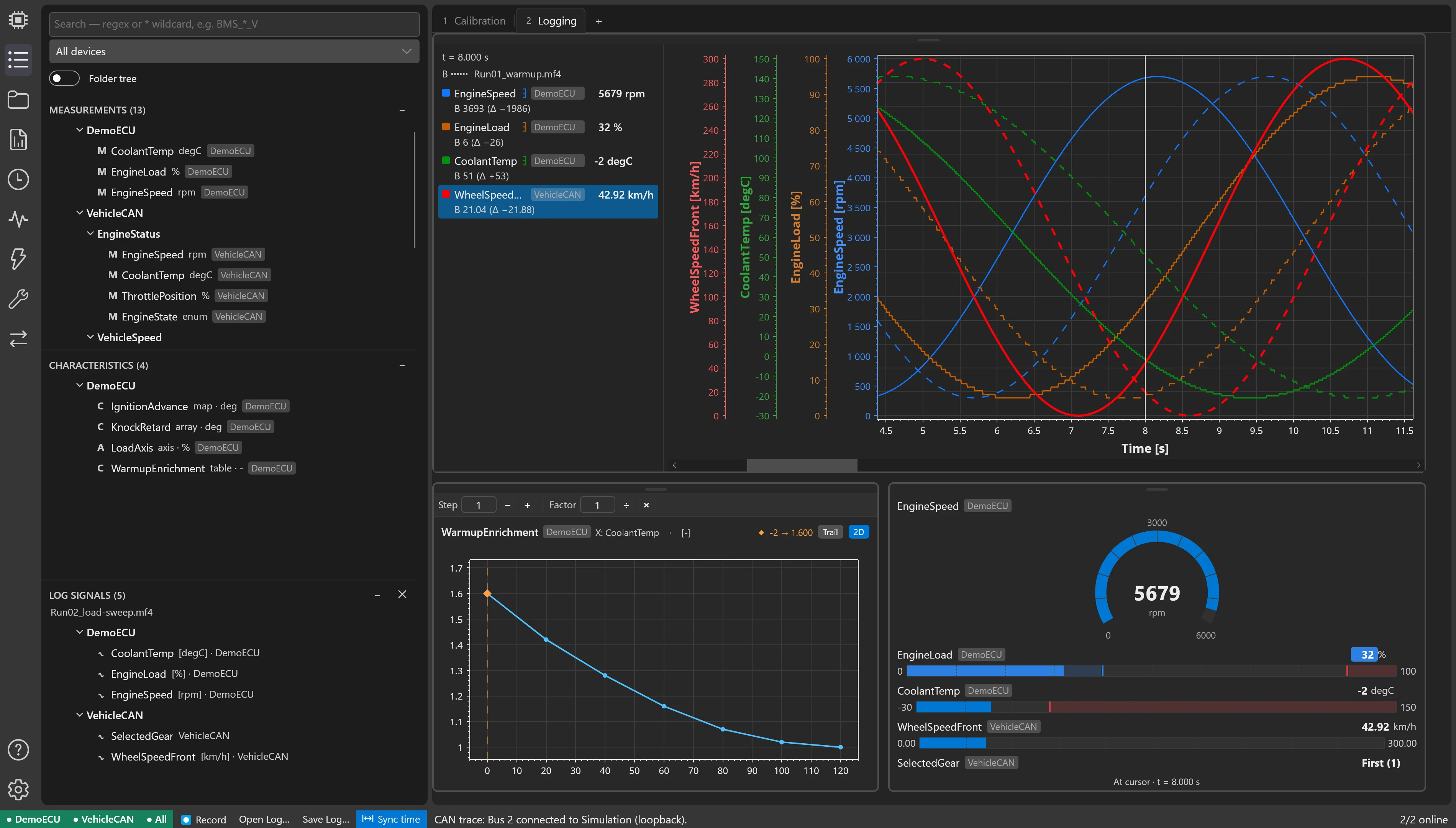
Each signal is assigned to a DAQ raster of its ECU, CAN signals are decoded through their DBC, and everything lands in one recording that streams to disk.
Stop the recording and every plot, readout and working point follows one cursor through it. Each signal has its own Y axis, a compare cursor shows deltas, minimum, maximum and average, and a second run can be laid over the first.
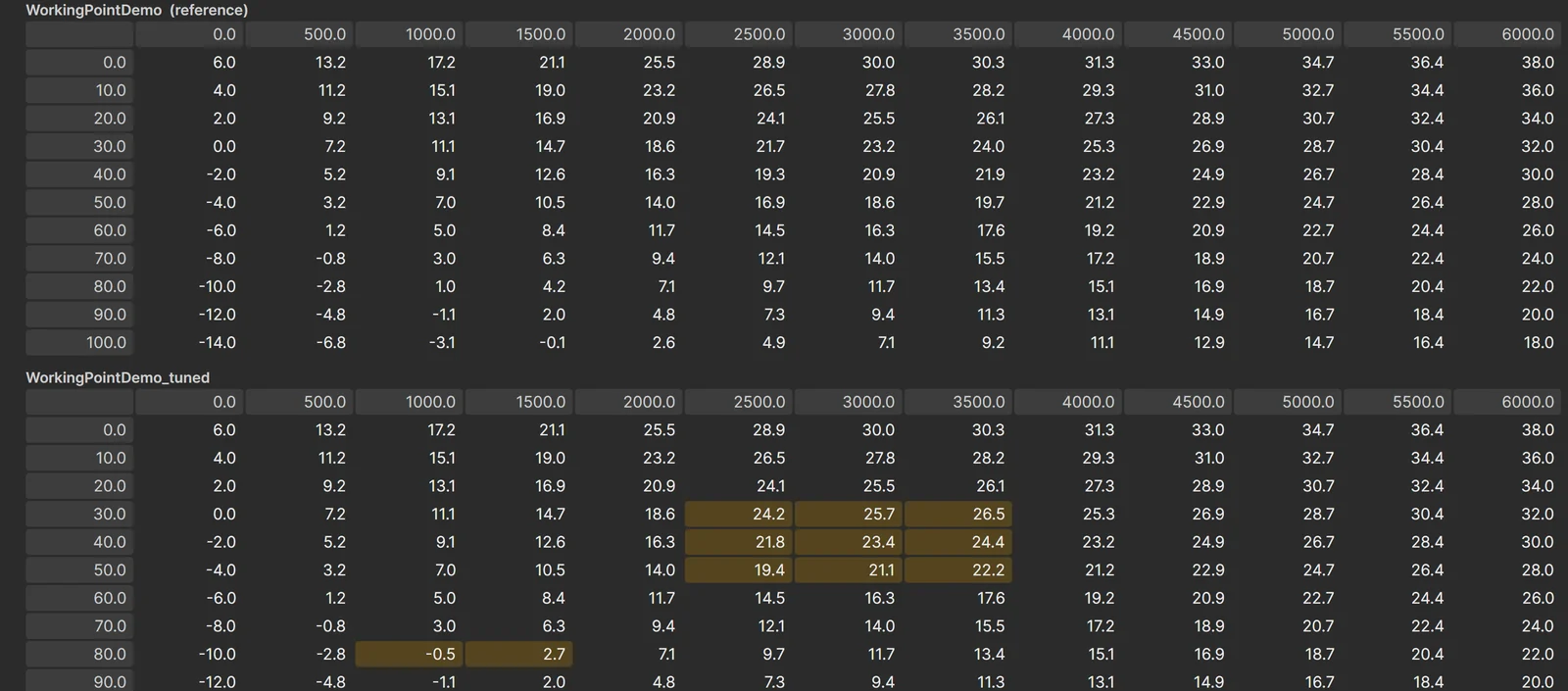
Import and export CDFX and DCM files and memory images, and compare any number of calibration files side by side with every differing cell marked. Copy values across and save them into the image that will be flashed.
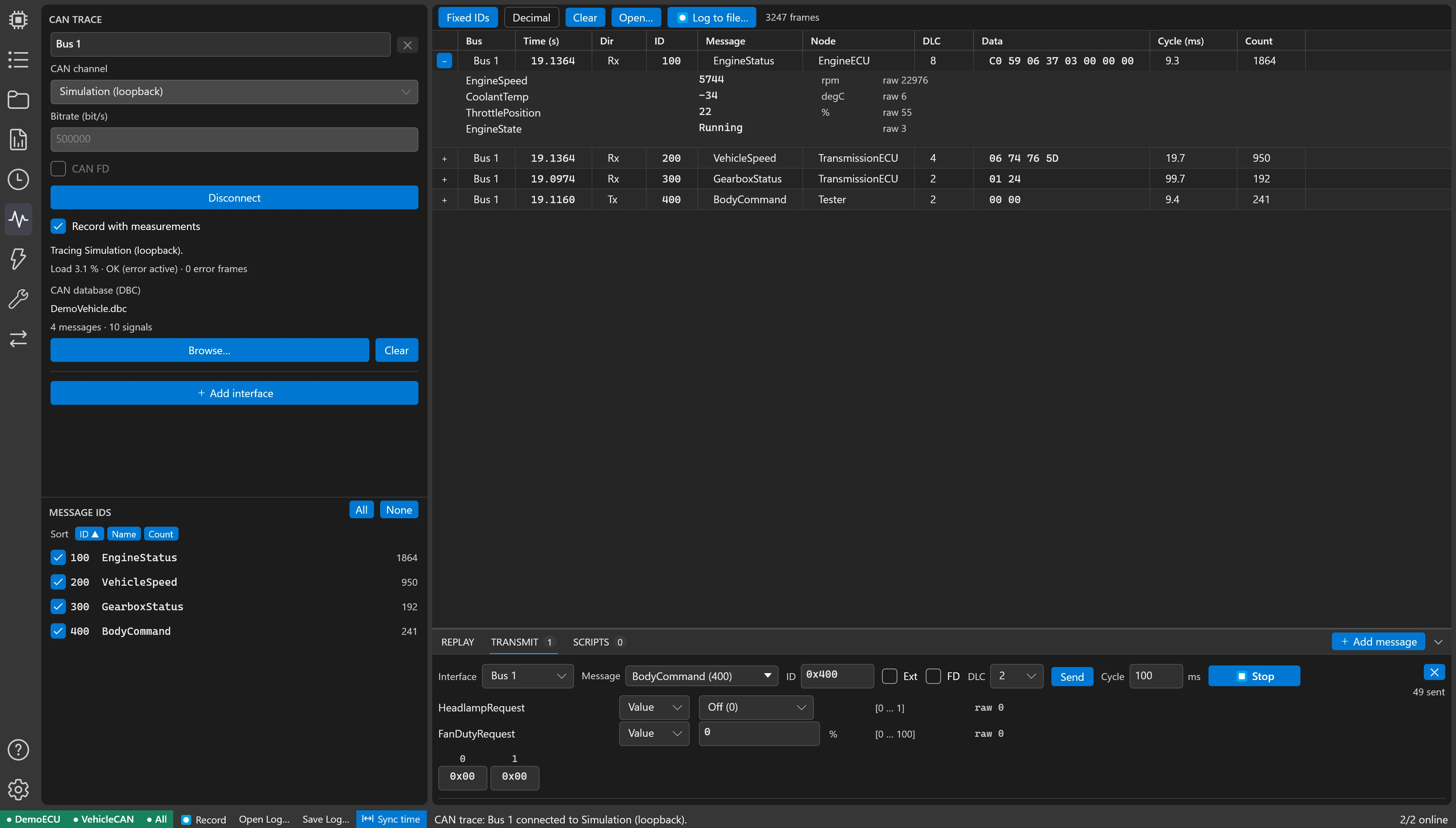
Trace several interfaces into one timeline, decode every frame with the bus DBC, and see load and error frames per bus. Transmit messages built from DBC signals, single-shot or cyclic, replay recorded logs, and script whole rest-bus simulations. Classic CAN and CAN FD.
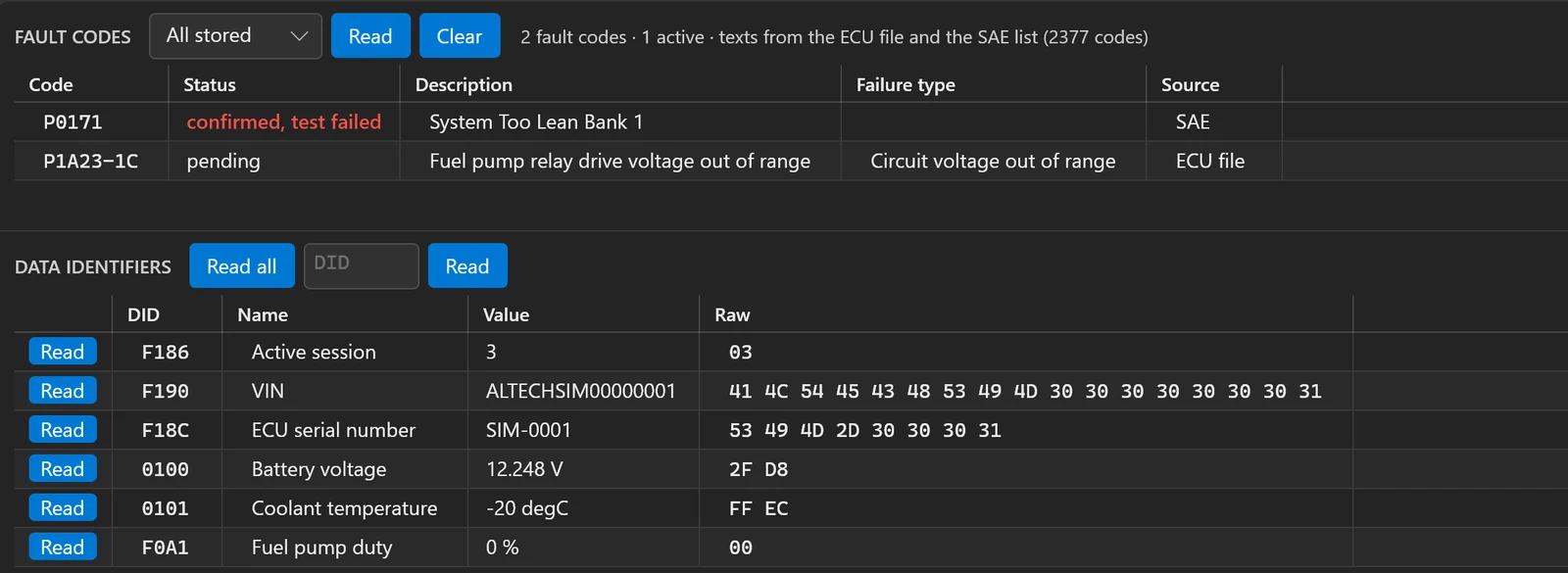
UDS (ISO 14229) and KWP2000 over CAN. Read and clear fault codes, explained from the standard code list and your own manufacturer texts; read data identifiers decoded to physical values; run routines and actuator tests; unlock with the vendor’s seed & key; read memory. Each ECU is described in one readable text file — the same file holds its reflash sequence.
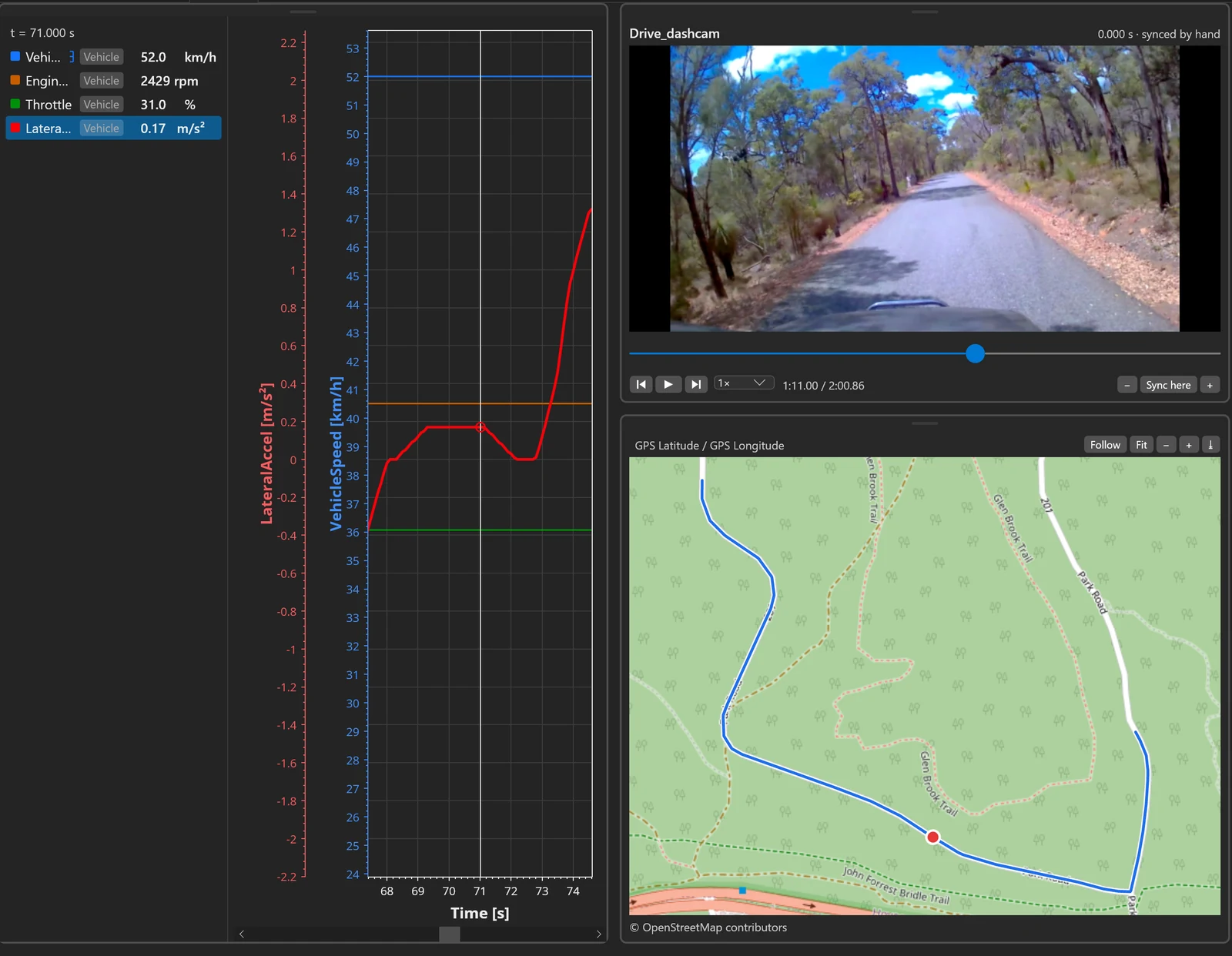
A dash-cam, a GoPro or a camera on the PC is recorded with the measurements, or added afterwards and synced. The plot cursor drives the video and the map: scrub through a drive and see the road, the position and every signal at the same moment.
Dash-cam footage: Gnangarra, CC BY 2.5 AU, via Wikimedia Commons. Map © OpenStreetMap contributors.
Integration
CalTool is built on the open standards, but real benches are not only standards. If your ECUs speak a proprietary or legacy protocol — a vendor calibration protocol, a manufacturer’s diagnostic dialect, another bus or interface — we integrate it into CalTool to your needs, so those units are calibrated, logged and diagnosed in the same workspace as the rest.
Talk to us about your ECUScreens
The panes as they appear on a bench, each with the demo ECU online. Click to enlarge.
Licensing
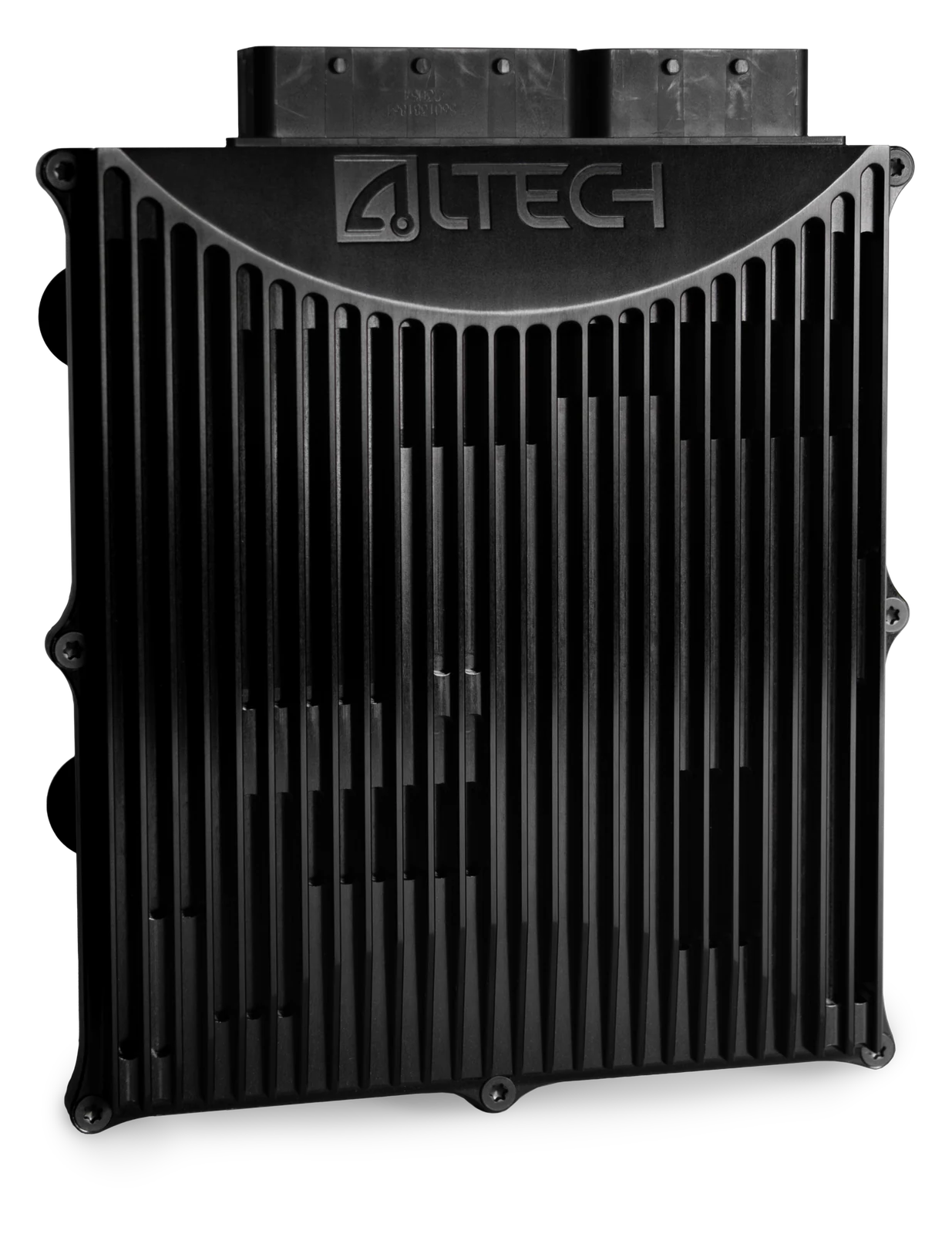
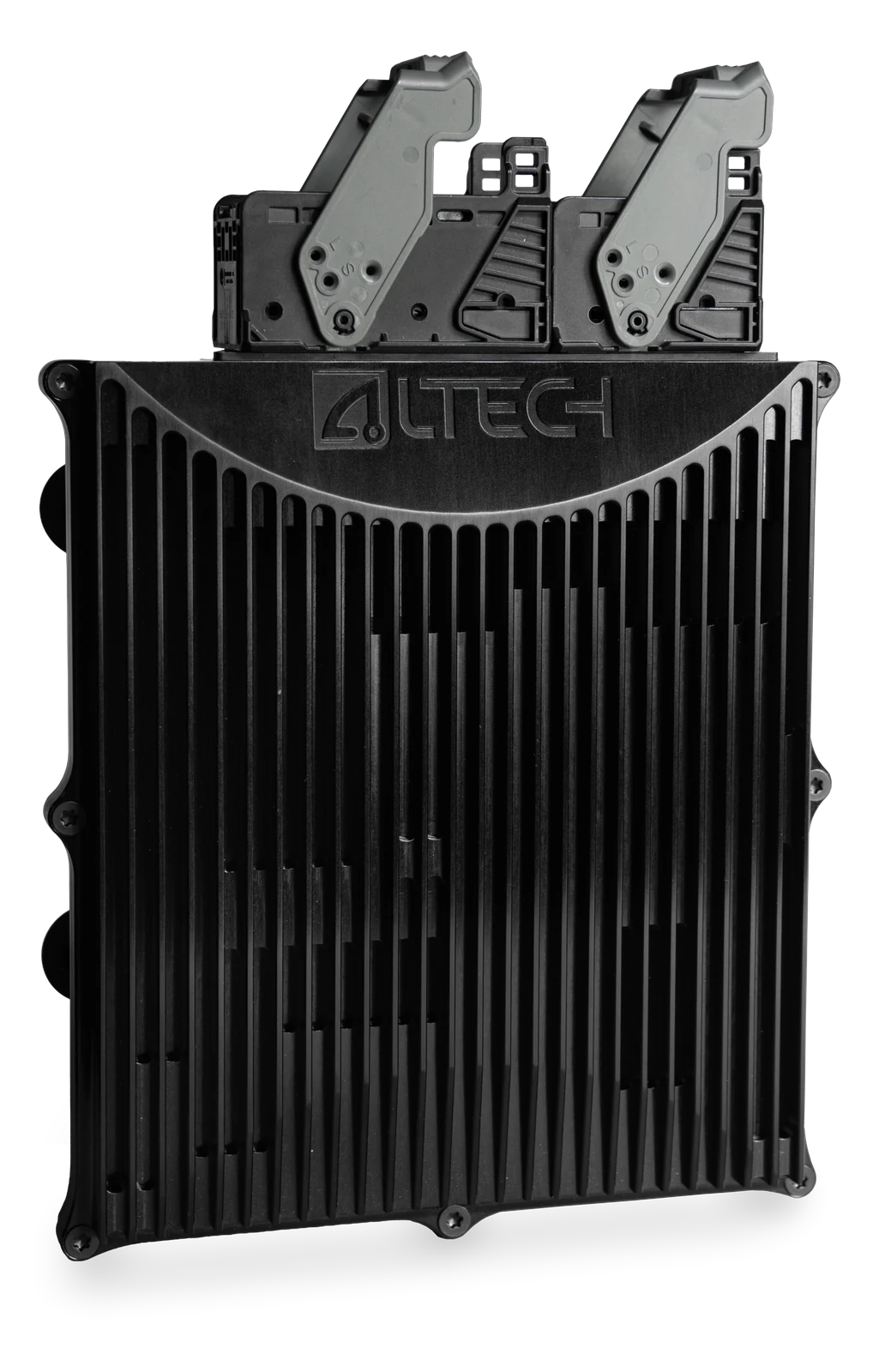
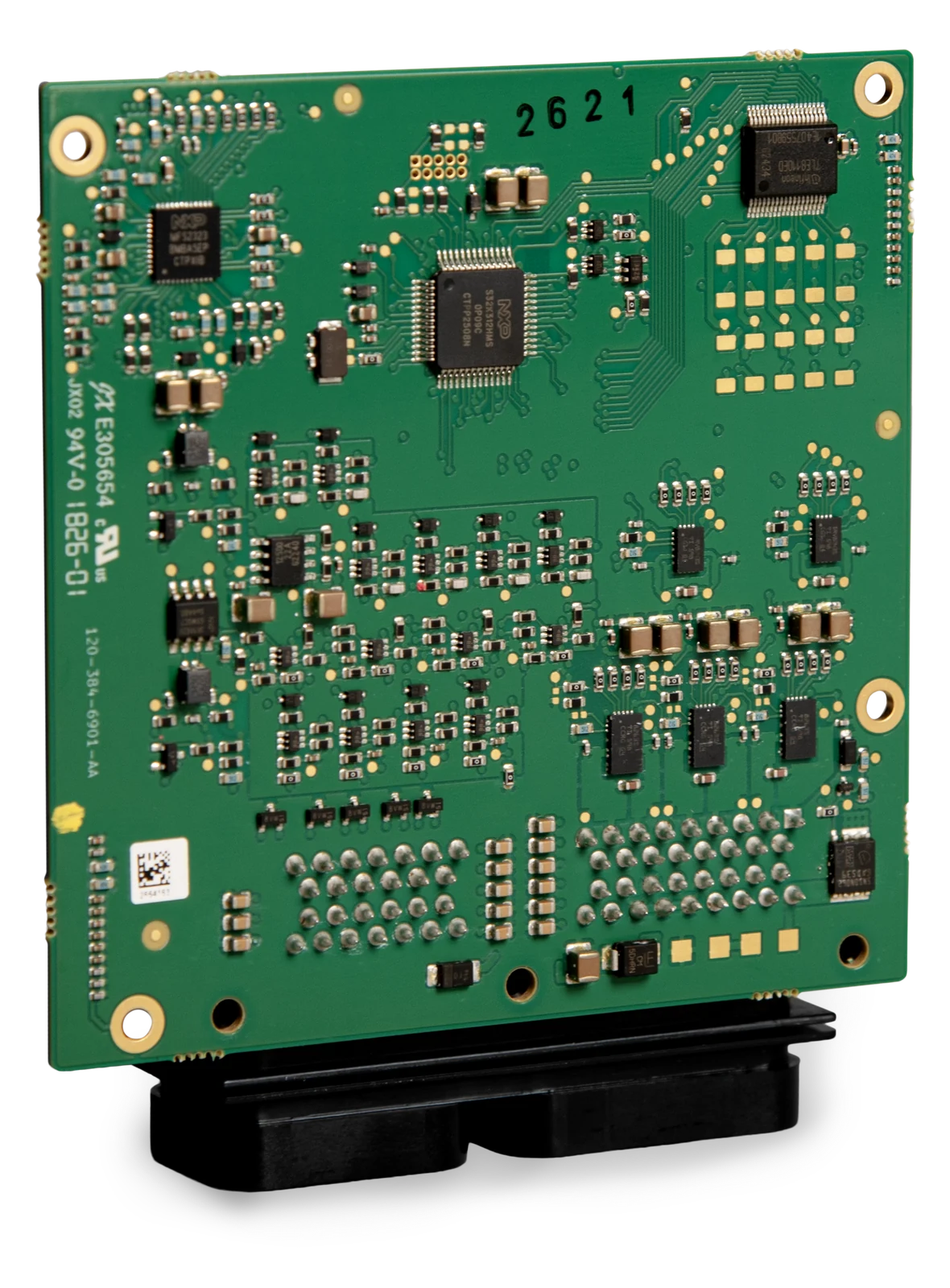
Every Altech unit ships with its A2L file and XCP slave, and a CalTool licence is included.
For any ECU with an XCP or CCP slave and an A2L file. Licensed per computer for a fixed period, and moved between computers by releasing and re-activating the key.
Try CalTool on your own ECU before buying. Ask for a time-limited trial key and run it on your bench with your A2L and CAN interface.
A proprietary or legacy ECU protocol, a bus or interface we do not support yet, your own AI platform, a feature your bench relies on: we integrate it on request.
CalTool is a product of its own: a standalone licence runs against any ECU with an XCP or CCP slave and an A2L file. Contact us for a licence, a trial key or an adaptation.
Formats and protocols
System requirements
Downloads
Included with
Fuelling, ignition and combustion feedback for spark-ignition engines, from track builds to homologated platforms.
Read moreSolenoid and actuator control for modern transmissions, with torque and powertrain coordination across the vehicle.
Read moreA compact, adaptable unit for doors, seats, fans, pumps and other actuators, with CAN FD and LIN behind a safety chip.
Read moreGet in touch